
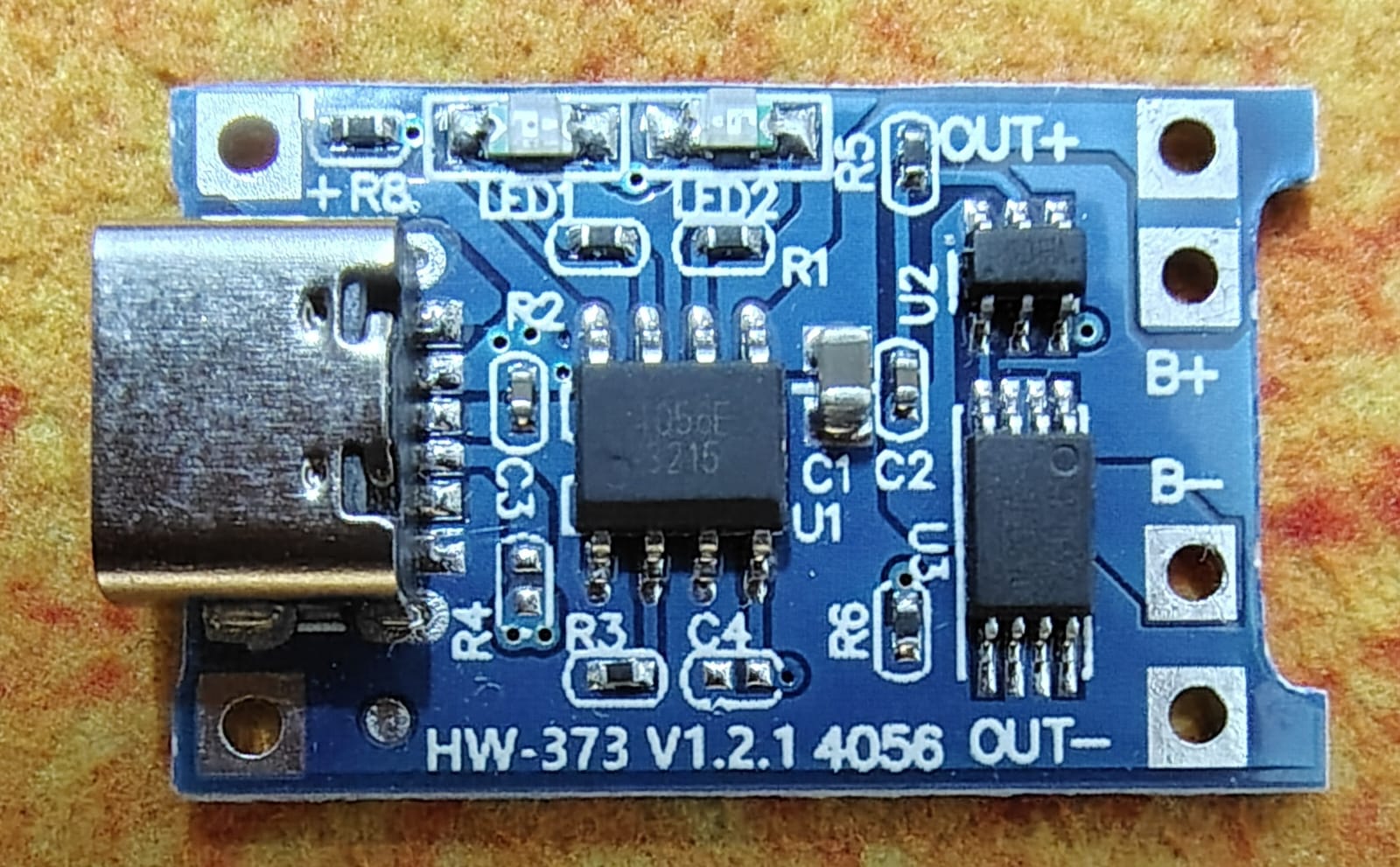
The HW-373 / TP4056 board with protection is very useful if you have a 18650 cell from an old laptop battery laying around and wanted to charge them safely or use it in your project
The Dual Architecture
V1.1 or protected version of this board special is that it isn't just a charger. It is built with two distinct circuits made available into one tiny PCB:
1. The Charging Circuit (TP4056)
The large chip near the USB port is the 4056. Provides the Constant-Current/Constant-Voltage (CC/CV) charging profile that Lithium-Ion/Lithium-Polymer batteries require.
The default charging is at 1A, but you can actually change this by swapping out a single resistor (the Rprog) resistor, usually labeled R3) if you need to charge smaller batteries safely.
2. The Protection Circuit (DW01A + 8205A)
The two smaller chips near the back of the board are the DW01A (protection IC) and the 8205A (dual MOSFET). These two protects your battery, protecting it from three major points:
Over-charging: Cuts off charging if the cell voltage hits ~4.3V.
Over-discharging: Cuts off power to your project if the cell drops below ~2.4V (preventing permanent battery damage).
Over-current/Short Circuit: Trips if your project tries to pull more than ~3A, or if you accidentally short the outputs.
Pin-out and Connection Guide
Unlike the unprotected version (which only has 4 pads), the HW-373 has **6 pads** on the back end. Getting these right is crucial:
|
Pad Name |
Goes to |
Remarks |
|
IN+ / IN- |
5V External Power Source |
Use these if you aren't using the Micro-USB/USB-C port. |
|
B+ |
Battery Positive (+) |
Connects directly to the Li-ion cell. |
|
B- |
Battery Negative (-) |
Connects directly to the Li-ion cell. |
|
OUT+ |
Project Power (+) |
Connects to your microcontroller, motor, or load. |
|
OUT- |
Project Power (-) |
Connects to your microcontroller, motor, or load. |
Important Rule: Do not connect your project directly to B+ and B- if you want the protection features. If you bypass OUT+ and OUT-, the DW01A chip cannot protect your battery from draining down to 0V and ruining itself.
Status LEDs: What they mean
The board features two tiny LEDs (usually Red and Blue, or Red and Green) to tell you what's happening:
Red LED On: Charging in progress.
Blue/Green LED On: Charging complete (or no battery connected).
Flickering/Faint lights: Usually indicates inadequate input current (e.g., your 5V power supply is sagging).